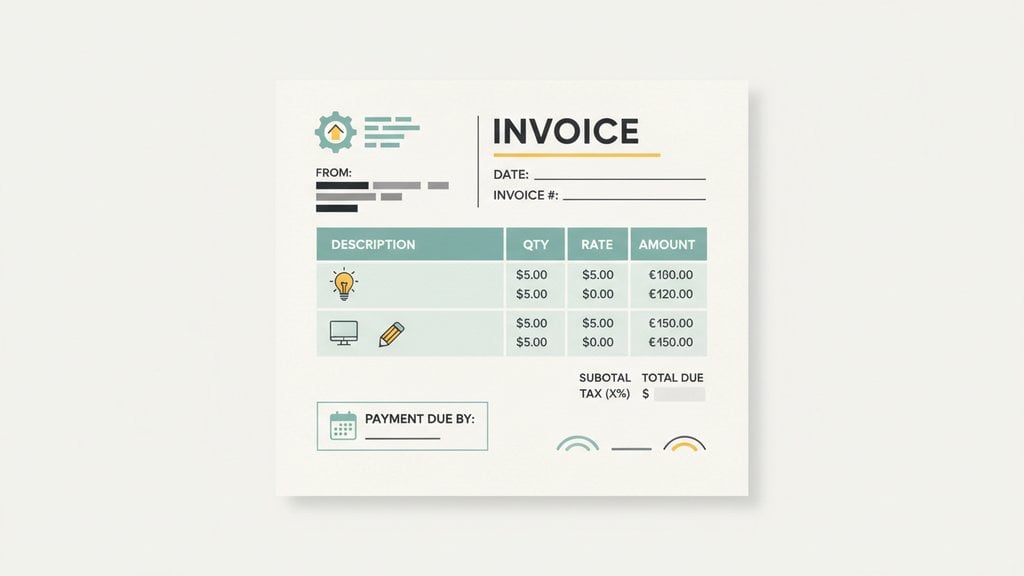
Good invoice formatting means your client gets a document that's clear, professional, and easy to act on, which directly affects how quickly you get paid. A well-structured invoice signals that you run a serious business, while a sloppy one can quietly erode trust before a single payment is made. Whether you're a freelancer sending your first invoice or a small business owner trying to tighten up your billing process, the formatting choices you make matter more than most people realize.
Content Table
- What Must Appear on a Professional Invoice
- How Layout Affects Client Perception and Payment Speed
- The Role of Branding in Invoice Design
- Basic vs. Professional Invoice Layout: What's the Difference?
- Common Invoice Formatting Mistakes to Avoid
- How to Create a Clean, Branded Invoice Without Design Experience
What Must Appear on a Professional Invoice
A professional invoice isn't just a request for money. It's a legal document that records a transaction. Missing even one key field can delay payment or create disputes. Here's what every invoice must include:
- Your business name, logo, and contact details (address, email, phone number)
- Client's name and address , including their company name if applicable
- A unique invoice number for tracking and accounting purposes
- Invoice date (when the invoice was issued)
- Payment due date , stated clearly (for example, "Due: March 15, 2026")
- Itemized list of services or products , with a description, quantity, unit price, and line total for each
- Subtotal, any applicable taxes or discounts, and the total amount due
- Payment terms , such as "Net 30" or "50% deposit due on signing"
- Accepted payment methods and relevant payment details (bank account, PayPal, etc.)
The itemized section deserves special attention. Vague line items like "Design work - $1,200" leave clients guessing. A clear breakdown like "Homepage redesign (8 hours x $150/hr) - $1,200" removes ambiguity and reduces the chance of a payment dispute.
How Layout Affects Client Perception and Payment Speed
Clear visual hierarchy reduces the mental effort required to process a document. When a client opens your invoice and can immediately find the total due, the due date, and how to pay, they're far more likely to act on it quickly. When they have to hunt for that information, the invoice gets set aside.
A few layout principles that directly influence payment speed:
- Put the total amount due in a prominent position. Bottom-right is the standard, and clients expect it there. Don't bury it mid-page.
- Use a clear visual hierarchy. Your business name and invoice number should be immediately visible at the top. Supporting details come after.
- Separate sections with whitespace or dividers. "Bill To" details, line items, and payment info should each have their own clearly defined zone.
- Keep the payment due date visible without scrolling. If a client has to scroll to find when something is due, they often won't bother.
- Use a readable font size. 10pt minimum for body text. Anything smaller feels like fine print, which creates subconscious distrust.
The Role of Branding in Invoice Design
Your invoice is a client touchpoint, the same as your website or proposal. Consistent branding across all of these builds recognition and trust over time. A branded invoice tells the client: this business is established, consistent, and professional.
The three branding elements that matter most on an invoice:
- Logo: Place it in the top-left or top-center of the invoice. It's the first thing a client sees and anchors the document to your business identity.
- Brand colors: Use your primary brand color on the header, section dividers, or column headers. One accent color is enough. Using too many colors makes the invoice look like a flyer rather than a financial document.
- Typography: Stick to one or two fonts maximum. A clean sans-serif (like Inter or Helvetica) for body text and a slightly bolder version for headings works well. Avoid decorative or script fonts, which reduce readability.
Branding doesn't mean flashy. It means consistent. A freelance photographer using their logo, a muted accent color, and a clean font on every invoice looks more credible than someone sending a generic spreadsheet export with no visual identity at all.
For a deeper look at how professional invoicing builds your reputation with clients, the freelancer's guide to professional invoicing covers this topic in detail.
Basic vs. Professional Invoice Layout: What's the Difference?
| Element | Basic Invoice | Professional Invoice |
|---|---|---|
| Logo | Missing or text-only name | Business logo, correctly positioned |
| Line items | Single lump-sum description | Itemized with quantity, rate, and line total |
| Payment terms | Absent or vague ("please pay soon") | Clear terms with exact due date |
| Visual hierarchy | Flat, no visual separation between sections | Clear header, body, and totals section |
| Branding | None, or generic template colors | Brand colors, fonts, and logo applied consistently |
| Invoice number | Missing or inconsistent | Sequential, clearly labeled |
| Tax and totals | Single total, no breakdown | Subtotal, tax line, and grand total clearly separated |
The gap between these two invoice types isn't about design skill. It's about knowing what to include and using a layout that makes each element easy to find. A professional invoice also sets clearer expectations around payment, which reduces the awkward follow-up emails asking when you'll be paid.
Setting the right payment terms is a big part of this. For guidance on choosing terms that work for your business, see this breakdown of best payment terms for small businesses .
Common Invoice Formatting Mistakes to Avoid
These are the formatting errors that show up most often in invoices from freelancers and small businesses, and each one has a real cost:
- No due date. "Net 30" is fine, but "Due: April 14, 2026" is better. Ambiguous timelines lead to late payments.
- Vague service descriptions. "Consulting" or "Work completed" tells the client nothing. Be specific about what you delivered.
- Missing contact information. If a client has a billing question and can't find your email, they'll delay payment rather than dig for it.
- Inconsistent invoice numbering. Gaps or duplicate numbers create accounting headaches for both parties and look unprofessional.
- No payment instructions. Listing a total without explaining how to pay (bank transfer details, a payment link, accepted card types) adds friction at the worst possible moment.
- Using a personal email address. Sending invoices from a Gmail or Hotmail account when your website shows a business domain undermines credibility.
- Overcrowded layout. Trying to fit everything into a tiny space with no whitespace makes the invoice hard to read and easy to ignore.
How to Create a Clean, Branded Invoice Without Design Experience
You don't need to be a designer or use complex software to produce a professional invoice. The key is using a tool that handles the layout for you while letting you add your own branding.
BlueInvoice offers five professionally designed invoice templates that you can switch between instantly without re-entering any data. Each design applies a distinct visual style to the same invoice content:
- Classic: A traditional clean layout, the default for new invoices. Works well for any industry.
- Blue Accent: Blue color accents on headers and dividers. Gives a corporate, polished look.
- Minimal Stripe: A minimalist layout with subtle stripe details. Good for creative professionals who want something understated.
- Bold Header: A prominent header section with strong typography. Stands out and conveys confidence.
- Elegant Border: A refined look with decorative border elements. Suits consultants, legal professionals, or premium service providers.
To switch designs, open the invoice editor, click the "Design" panel switcher in the toolbar, and select any of the five options. The preview updates immediately. You can also upload your own logo and position it on the invoice regardless of which design you choose. All five designs are free with no premium tier required.
This approach means your invoice formatting is handled by a tested, professional layout while your branding makes it uniquely yours. If you want to explore ready-made starting points, take a look at free invoice templates and design tips to find a format that fits your workflow.
Create a perfectly formatted, branded invoice in minutes
BlueInvoice gives you five professional invoice layouts you can switch instantly, plus logo upload and full branding control, so your invoice formatting always looks polished without any design work.
Create Your Free Invoice →
The payment due date and the total amount due are the two most critical elements. If a client can't find either of these immediately, your invoice will be set aside. Beyond those two, a clear itemized breakdown of services prevents disputes and removes any reason for a client to delay payment while they seek clarification.
Yes, and the mechanism is straightforward. A well-structured invoice reduces the effort required for a client to understand what they owe and how to pay. When the total, due date, and payment instructions are immediately visible, there's no friction between receiving the invoice and acting on it. Cluttered or unclear invoices create hesitation, which translates directly into delayed payments.
One accent color is the standard recommendation for professional invoice design. Use it on the header, column headers, or section dividers. Your primary text should stay black or dark gray on a white background for maximum readability. Using three or more colors makes an invoice look like marketing material rather than a financial document, which can undermine client confidence.
The invoice date is when the invoice was issued. The payment due date is the deadline by which the client must pay. Both should appear on every invoice. For example, an invoice issued on March 1 with Net 30 terms has a due date of March 31. Stating both dates removes any ambiguity and gives you a clear reference point if you need to follow up on a late payment.
Sometimes, yes. If you're invoicing a VAT-registered business in the EU, you typically need to include both your VAT number and the client's VAT number. Some countries also have specific e-invoicing mandates coming into effect in 2026 and beyond. The core formatting best practices apply universally, but you should verify the legal requirements for each country you invoice in to avoid compliance issues.
Yes, using a consistent template is actually recommended. It reinforces your brand, makes your invoices instantly recognizable, and saves time. You only need to adjust the client-specific fields (name, address, line items, due date) for each invoice. Consistency in formatting also makes it easier to spot errors because you know exactly where every element should appear.